Author name: Jay Manon

Chroma Aeon electronic shelf label
Retail Automation

Freezer Electronic Shelf Labels: Built for Sub-Zero Aisles & High Humidity in the Philippines

Home / Blog / Freezer Electronic Shelf Labels Freezer Electronic Shelf Labels: Built for Sub-Zero Aisles & High Humidity in the Philippines Quick Technical Summary Do electronic shelf labels work inside sub-zero supermarket freezers? Yes. Commercial freezer-rated electronic shelf labels use specialized low-temperature e-ink fluid, cold-resistant battery cells, and moisture-sealed casings that operate reliably down to -25°C without freezing, cracking, or losing display contrast. Why do paper price tags fail in Philippine chillers? Tropical store humidity mixed with cold display air creates constant condensation. Standard cardstock curls, thermal ink fades, and adhesive strips peel off within days—causing missing prices and compliance risks at checkout. High-contrast monochrome e-paper displays stay crisp and legible behind frosted glass freezer doors and bright overhead chiller lights. Walk down the frozen meat or ice cream aisle of almost any grocery store in the Philippines, and you will notice the same recurring mess: curled paper inserts, soggy cardboard strips, faded ink, and plastic price rails stained by condensation. Keeping accurate price tags inside cold aisles is hard enough in dry climates. In the Philippines, warm, humid store air hits freezing chiller air every single time a customer opens a glass door. Within days, standard paper labels absorb moisture, lose their glue, or drop behind frozen packages. When store managers consider switching to electronic shelf labels, one of their biggest concerns is simple: “Will digital screens crack, fog up, or die inside a -20°C freezer?” Standard consumer screens do fail in the cold. However, purpose-built freezer electronic shelf labels are engineered specifically for sub-zero temperatures and wet, humid retail aisles. Why Tropical Humidity Destroys Paper Tags in Cold Aisles Before looking at the hardware, it helps to see why paper labeling breaks down fastest in refrigerated sections—and why those failures cost supermarkets more than just replacement paper. 1. Condensation Turns Cardstock Into Mush Every time a shopper reaches into an open-top meat chest or swings open a beverage cooler in Metro Manila or Cebu, humid air condenses directly onto the cold metal shelf lip. Regular cardstock wicks up that water like a sponge. The paper swells, warps out of the plastic rail, and eventually drops onto the floor. 2. Fading Ink and Unreadable Prices Many stores use thermal adhesive stickers for frozen poultry, hotdogs, and deli meats. Cold moisture and harsh LED chiller lights cause thermal ink to fade quickly. When a shopper cannot read the price of a frozen pack, they either leave it in the wrong aisle or bring it to the register—slowing down checkout lines. 3. Adhesive Failure and DTI Compliance Risks Regular tape and sticker glue harden and snap at freezing temperatures. Missing or illegible prices on cold-case items put stores at direct risk under the DTI Price Tag Law (Republic Act No. 7394), which requires clear, visible pricing on every retail product. How Sub-Zero Electronic Shelf Labels Handle -25°C If you put a normal smartphone or consumer e-reader inside a deep freezer, the battery drains rapidly and the screen slows to a crawl. Commercial freezer ESL tags solve those limits with three specific engineering changes: Low-Temperature E-Ink Microcapsules: Inside an e-paper screen, tiny black and white pigment particles float in fluid. Freezer-rated models use a thinner, low-viscosity fluid formulated to keep those particles moving smoothly even at -25°C, so prices refresh cleanly without ghosting or screen lag. Cold-Rated Battery Chemistry: Standard coin-cell batteries lose voltage sharply in freezing air. Sub-zero ESL tags use industrial lithium cells designed to hold steady power in cold storage, giving years of dependable operation. Moisture-Sealed Polycarbonate Housings: To stop internal condensation and protect circuits during routine chiller wash-downs, freezer labels feature tightly sealed enclosures rated against water spray and frost buildup. Performance Factor Paper & Stickers Standard Ambient ESL Freezer-Rated ESL Safe Operating Range Warps in damp cold air 0°C to +40°C (Dry aisles & chillers) -25°C to +10°C (Deep freezers) Condensation & Frost Swells, curls, ink smudges Protected against light dampness Sealed housing blocks frost & spray Readability Behind Glass Fades under chiller LEDs 180° glare-free contrast 180° high contrast without glare Replacement Cycle Replaced weekly or monthly Up to 10 years 5 to 7+ years in sub-zero cases Where Cold-Rated ESL Works Best in Philippine Retail Because different store layouts use different kinds of refrigeration, matching the right tag and bracket matters just as much as the screen itself: 1. Supermarket Meat, Poultry & Frozen Aisles Supermarkets run frequent end-of-day markdowns on chilled pork, chicken cuts, and seafood trays to move fresh stock before closing. Instead of sending a butcher or clerk out with a hand-held pricing gun in wet gloves, managers push price drops from the back office straight to the cold display. Learn more on our supermarkets solution page. 2. Convenience Store Drink Coolers & Ice Cream Chests Neighborhood mini-marts pack dozens of beverage brands onto narrow wire racks inside glass-door chillers. Slimline e-paper tags clip straight onto wire shelves without blocking cans or bottles, letting chains run instant beer bundles or cold-drink promos across branches. See how small-format teams use them on our convenience stores page. 3. Cold-Chain Storage & Walk-In Warehouses Inside commercial cold-storage warehouses, printing and sticking paper bin labels while wearing thick freezer gloves wastes hours every week. Industrial digital tags with bright pick-to-light LEDs flash directly from the shelf rack so warehouse pickers locate frozen pallets fast and get out of the cold sooner. Explore more applications across our ESL solutions directory. Compact and wide-format digital labels pair with custom snap-on clips for glass cooler shelves, wire beverage racks, and chest freezer dividers. Do wireless signals pass through thick glass freezer doors? Yes. Our enterprise wireless communicators broadcast on Sub-GHz and encrypted BLE radio frequencies that pass cleanly through commercial double-pane chiller glass and reach deep inside open frozen island cases—without installing wires or extra antennas inside the refrigerator. 3 Practical Checks Before Buying Freezer ESL Tags Not every shelf in a store needs expensive sub-zero hardware. Smart retailers save money by matching the tag rating to
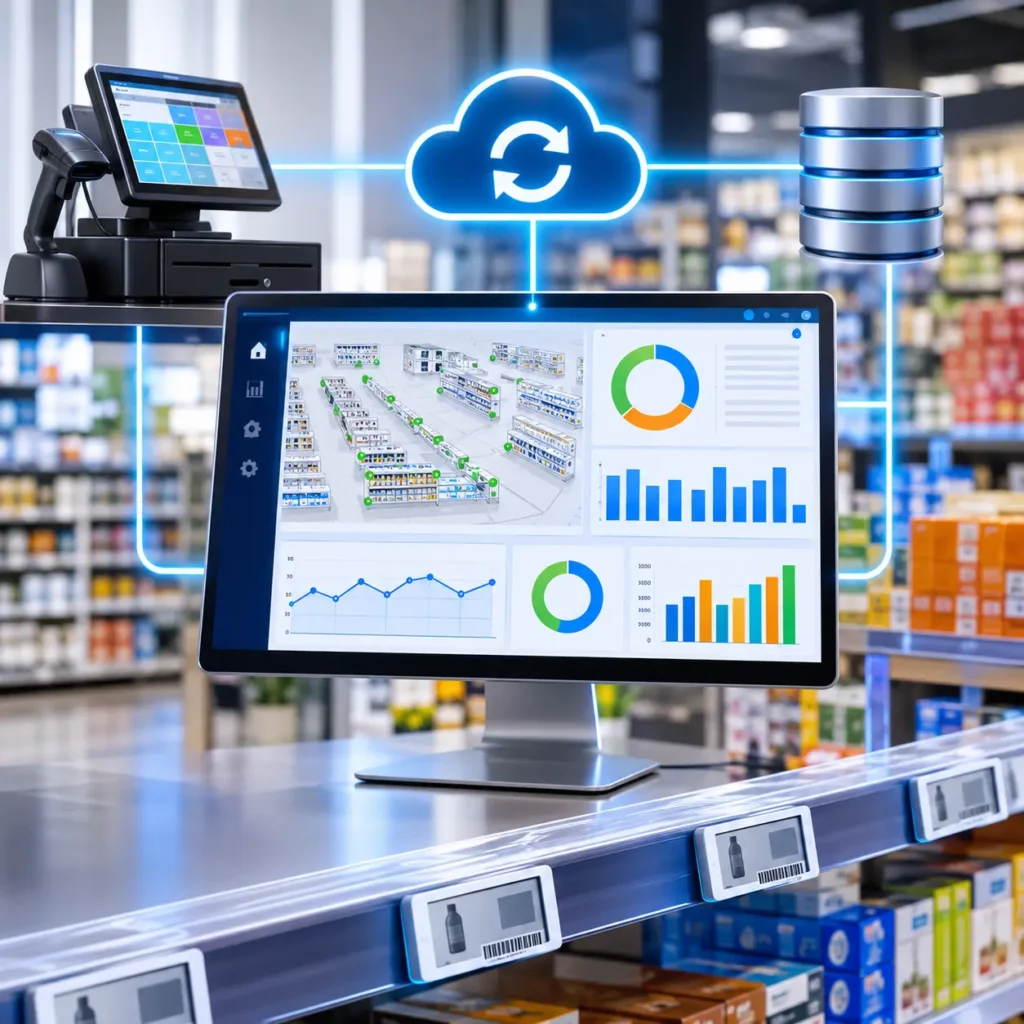
Centralized electronic shelf label software dashboard syncing with retail POS databases
Retail Automation

Electronic Shelf Labels POS Integration: How Digital Tags Sync With Your Existing Cash Registers

Home / Blog / Electronic Shelf Labels POS Integration Electronic Shelf Labels POS Integration: How Digital Tags Sync With Your Existing Cash Registers Quick Technical Summary Do we need to replace our current POS software to use electronic shelf labels? No. Electronic shelf labels (ESLs) connect directly to your existing point-of-sale or ERP software as a read-only display layer. You keep your current cash registers, barcode scanners, and BIR-accredited POS terminals exactly as they are. How does electronic shelf labels POS integration actually work? When a manager updates a product price in your POS or head-office ERP, the ESL software picks up the change automatically—via an API call, a scheduled CSV export, or a database view—and pushes the new price to the matching shelf tag in under 60 seconds. Central ESL management software sits beside your existing POS and pushes approved price updates straight to store shelves without touching register billing. Whenever a Philippine retail IT manager or supermarket owner looks into electronic shelf labels, the first technical concern is almost always the same: “Our store runs on a BIR-accredited POS we spent years customizing. Will adding digital tags force us to change our checkout software?” The short answer is no. Switching from paper tags to digital displays does not require replacing your cash registers, changing your accounting software, or retraining cashiers. Good electronic shelf labels POS integration works strictly on top of your existing system. Your POS remains the single source of truth for prices, promos, and inventory counts. The ESL system simply reads those price updates and displays them on the shelf edge automatically. Why Retail IT Teams Worry About POS Compatibility Across the Philippines, retail chains run on a wide mix of software. Large hypermarkets often use enterprise ERPs like SAP or Oracle, while regional grocery stores, pharmacies, and mini-mart chains frequently rely on local Philippine POS vendors or custom-built SQL systems that have been running for over a decade. IT heads understandably hesitate to touch working checkout software for three practical reasons: BIR Accreditation Rules: Modifying the core billing engine of a BIR-registered POS terminal can trigger compliance headaches and re-accreditation delays. Slow or Unstable Provincial Internet: Branches outside Metro Manila occasionally deal with broadband drops or cellular backups. Limited Store-Level IT Staff: A neighborhood convenience store or pharmacy rarely has an on-site technician to troubleshoot servers or software crashes. Because our ESL platform never interferes with how your POS calculates totals or prints receipts, BIR accreditation stays completely untouched. Better yet, there are three different ways to connect the two systems depending on how old or modern your POS software is. 3 Ways Electronic Shelf Labels Connect to Your POS System Whether your stores run a brand-new cloud POS or an older on-premise server from 2012, connecting your price list takes one of three standard paths: 1. Scheduled CSV or Excel File Drops (Best for Older or Custom POS) Almost every POS software in the Philippines—even older legacy systems—can export a daily or hourly product list as a .csv, .txt, or .xml file into a designated folder. In this setup, your POS drops a simple price file whenever prices change. Our integration bridge reads that folder automatically every few minutes, spots only the SKUs whose price or promo text changed, and updates just those tags. No coding inside your POS software is needed. 2. Direct REST API & Webhook Sync (Best for Cloud POS & Modern ERPs) If your company uses a cloud-based POS or modern retail ERP, your developers can connect directly to our REST API endpoints. The moment a merchandising manager hits “Save” on a weekend promo or price hike in headquarters, the ERP fires a lightweight JSON packet straight to the ESL cloud server. This method delivers near-instant execution across dozens of branches at the same time—ideal for chains running time-sensitive day-part deals on hot meals or flash beverage promos. 3. Read-Only Database View (Best for On-Premise SQL Servers) For multi-branch supermarkets running on local SQL, MySQL, or PostgreSQL back-office databases, we set up a safe, read-only database view (or staging table). The ESL connector checks that read-only table for changes on a set schedule. Because it never writes data back into your POS tables, there is zero risk of slowing down checkout lanes or corrupting sales records. Integration Method Best Suited For Typical Sync Speed POS Coding Needed? CSV / File Drop Legacy local POS, custom FoxPro/desktop apps, Excel-managed stores Every 1–5 minutes None (uses built-in export) REST API / Webhooks Cloud POS, SAP, Oracle, modern franchise ERPs Instant (under 60 seconds) Minimal (standard API call) Read-Only DB View On-premise SQL Server supermarkets & regional chains Every 30–60 seconds None (read-only query) What Happens Inside the Store: From Head Office to the Shelf Edge Once your POS sends a price change, the physical path to the shelf is built to stay simple and server-free inside each branch. Instead of installing heavy desktop PCs in every store back room, each branch only needs one compact enterprise wireless communicator. A single ceiling-mounted wireless communicator receives price batches from the cloud and updates thousands of store tags over encrypted RF channels. Here is the exact sequence that runs automatically behind the scenes: Price Change Detected: Your headquarters POS updates the price of a 1.5L soda bottle or marks down fresh bakery trays. Template Rendering: Our cloud server takes the new price, promo badge (like “Buy 1 Take 1” or “Save ₱15”), and unit price, then draws the crisp e-paper image layout automatically. Store Gateway Delivery: The update travels over standard store internet (broadband or 4G) to the ceiling-mounted Power-over-Ethernet (PoE) communicator. Encrypted Wireless Broadcast: The communicator broadcasts the update across the store floor using dedicated Sub-GHz or BLE frequencies that do not interfere with store Wi-Fi or customer phones. Two-Way Confirmation: The digital tag flashes its new price and sends an electronic receipt back to head office confirming the screen updated properly. What happens if the store internet drops or the power flickers?

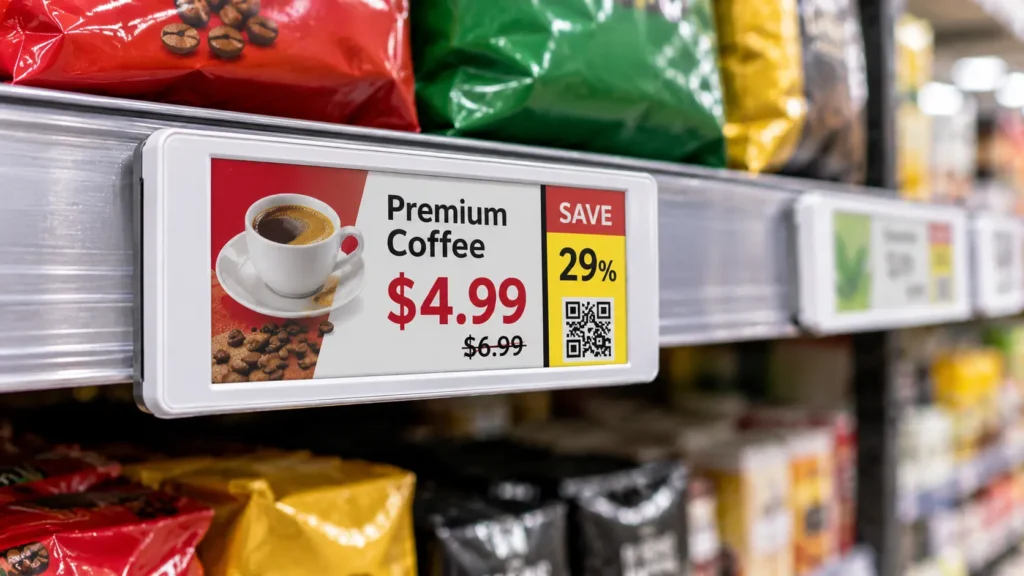
Premium Coffee Shelf Promotion
Retail Automation

Electronic Shelf Labels ROI in the Philippines: Calculating True Labor and Paper Savings

Home / Blog / Electronic Shelf Labels ROI in the Philippines Electronic Shelf Labels ROI in the Philippines: Calculating True Labor & Paper Savings Quick Executive Summary What is the typical payback period for electronic shelf labels (ESL) in the Philippines? Most mid-to-large supermarkets and high-turnover convenience store chains recover their initial ESL hardware investment within 12 to 24 months through eliminated paper printing expenses, reduced store labor hours, and prevented register price discrepancies. Where do the biggest cost savings come from? Labor reallocation accounts for over 60% of total ESL return on investment (ROI). Instead of paying store associates to spend 15 to 30 hours weekly printing, cutting, and swapping paper tags, branches execute synchronized price updates from head office in under 60 seconds. Modern 4-color e-paper shelf tags replace recurring paper cardstock and color toner costs while lasting up to 10 years on replaceable batteries. When retail executives and purchasing directors evaluate electronic shelf labels in the Philippines, the first question is rarely about screen resolution or radio frequencies. It comes down to capital expenditure: how long does it take for digital price tags to pay for themselves? On paper, traditional cardstock shelf labels appear cheap. A ream of paper and a roll of ink toner cost a fraction of an e-paper display. However, when you calculate the ongoing operational cost across an entire year—factoring in rising Metro Manila and provincial wage rates, supplier promo turnover, damaged cooler strips, and checkout pricing disputes—paper labeling becomes one of the most expensive manual workflows on the retail floor. Understanding true electronic shelf labels ROI requires looking beyond hardware sticker prices and auditing the hidden operating expenses buried inside your monthly store profit-and-loss (P&L) statements. The 3 Hidden Costs of Paper Price Tags in Philippine Stores Most grocery and mini-mart operators underestimate how much manual tagging costs because those expenses are spread across payroll, office supplies, and register markdowns rather than sitting on a single line item. 1. Store Associate Labor Hours (The Largest Ongoing Drain) In a standard 5,000-to-15,000-SKU grocery store or mid-sized supermarket, promotional cycles, supplier cost hikes, and seasonal discounts trigger anywhere from 500 to 3,000 price adjustments every week. Completing those updates manually involves a multi-step labor chain: Exporting price change batches from the back-office POS terminal. Formatting and printing paper sheets or adhesive stickers. Cutting strips manually with paper trimmers. Walking every aisle to locate the matching barcode and sliding each insert into shelf rails. Even with experienced staff, manual relabeling averages 1.5 to 2 minutes per tag when factoring in printing, sorting, and walking time. At 1,000 weekly price changes, that equals roughly 25 to 30 labor hours every single week per branch. Across a 20-branch network, you are paying for hundreds of full-time payroll hours spent solely on paper maintenance rather than customer service or fast checkout. 2. Recurring Paper, Toner, and Plastic Rail Consumables Unlike single-purchase digital hardware, paper labeling requires continuous monthly spending. Stores constantly reorder perforated card stock, thermal sticker rolls, color printer ink or laser toner, printer maintenance parts, and brittle plastic shelf-channel covers that snap or yellow inside humid aisles and refrigerated beverage doors. 3. Margin Loss from Delayed Promotions and DTI Fines When a weekend promo ends at midnight Sunday, the POS terminal updates automatically on Monday morning. If your floor crew takes until Monday afternoon to finish replacing paper tags, customers still see the lower weekend price on the shelf. Under the Department of Trade and Industry (DTI) Price Tag Law, stores must honor the lower displayed price—eating directly into gross margins and risking administrative penalties. You can read our complete breakdown of these risks in our guide to DTI Price Tag Law compliance with electronic shelf labels. Cost Comparison: Paper Workflow vs. Enterprise ESL To illustrate how annual expenses compare for a typical high-turnover Philippine store carrying 5,000 active SKUs with weekly promotional updates, consider the operational breakdown below: Operational Expense Category Traditional Paper Labeling (Per Branch / Year) Automated Enterprise ESL (Per Branch / Year) Relabeling Staff Labor 780 to 1,500+ hours/year spent printing, cutting, and manually placing tags. 0 hours. Updates push straight from head office or ERP triggers in under 60 seconds. Paper, Ink & Printer Maintenance Recurring annual expense on specialty card stock, color ink, adhesive stickers, and printer parts. ₱0. Zero paper or ink consumption; e-paper retains images without backlight power. Checkout Price Mismatches 2% to 5% error rate causing register markdowns, customer friction, and DTI audit risks. 0.00% discrepancy. Bi-directional RF handshakes confirm shelf tags match POS registers. Chiller & Freezer Replacements Frequent tag replacement due to condensation, curling paper, and torn adhesive labels. None. Cold-rated e-paper housings operate reliably down to -25°C. Four Revenue Drivers Beyond Basic Cost Cutting Calculating electronic shelf labels ROI strictly by subtracting paper and labor expenses only tells half the story. Modern digital shelving also generates measurable top-line revenue gains across Philippine retail formats: 1. Automated Day-Part & Perishable Markdowns Fresh produce, bakery goods, and ready-to-eat meals lose value rapidly toward closing time. With paper labels, marking down expiring stock requires staff to print and stick manual discount tags—often too late to move inventory before spoilage. Automated ESL schedules trigger graduated price drops (for example, a 20% discount at 6:00 PM and 40% at 8:00 PM) automatically. Similarly, chains running electronic shelf labels for convenience stores and mini marts deploy automated breakfast bundle pricing during the morning rush and late-night snack deals with zero staff intervention. 2. Sponsored FMCG Endcap & Co-Op Advertising Major fast-moving consumer goods (FMCG) suppliers regularly pay for high-visibility promotional endcaps inside supermarkets and groceries. Using 4-color graphic displays like the Chroma Aeon Series, stores can display brand logos, red/yellow promo flags, and QR codes right on the shelf edge—allowing chains to command higher supplier co-op fees and launch sponsored campaigns nationwide on exact start dates. 3. Zero In-Store Server & IT Maintenance Costs Older digital signage systems failed to scale across the Philippine archipelago because they required dedicated

Electronic Shelf Labels
Retail Automation

DTI Price Tag Law Compliance: How Electronic Shelf Labels Eliminate Checkout Discrepancies in the Philippines

Home / Blog / DTI Price Tag Law Compliance DTI Price Tag Law Compliance: How Electronic Shelf Labels Eliminate Checkout Discrepancies in the Philippines RETAIL OPERATIONS & LAW • By ESL Technical Integration Team • 7 min read • Makati City, Philippines Quick Executive Summary What is the primary retail compliance risk in the Philippines? Under Republic Act No. 7394 (The Consumer Act of the Philippines), retailers are legally bound to sell goods at the displayed shelf price or lower. Discrepancies between printed paper tags and point-of-sale (POS) barcode scanners result in formal consumer complaints, mandatory mediation, and statutory administrative fines enforced by the Department of Trade and Industry (DTI). How do electronic shelf labels (ESL) solve this? Centralized ESL systems bind physical e-paper shelf displays directly to the store’s central database via wireless radio frequency (RF) networks. When a price adjusts in the enterprise resource planning (ERP) or POS engine, digital tags update in sub-minute cycles, guaranteeing absolute price parity and zero manual label maintenance. Digital e-paper price tags on retail shelves prevent checkout disputes by automatically syncing with central cash register databases. Physical store operations across the Philippines operate under challenging merchandising dynamics. High consumer inflation, aggressive multi-buy campaigns, flash discounts, and weekly fast-moving consumer goods (FMCG) co-op campaigns require stores to modify thousands of shelf-edge prices weekly. For retail chains running on legacy systems, every single adjustment relies on manual labor: printing paper shelf-talkers, cutting sheets by hand, sorting them by aisle, and sliding strips into plastic channels. This manual workflow is not merely inefficient; it is a major operational vulnerability. In high-density supermarkets, neighborhood mini-marts, and chain dispensaries, store associates often fail to update physical labels before register databases refresh. The result is price mismatching at checkout—the exact trigger for punitive consumer complaints under the Department of Trade and Industry (DTI). To eliminate this systemic risk, retail operators across Luzon, Visayas, and Mindanao are transitioning to electronic shelf labels in the Philippines. Centralized e-paper pricing systems eliminate manual error margins, securing automated compliance across regional and national branch networks. Understanding Republic Act No. 7394 and the DTI Price Tag Mandate Retail commerce in the Philippines is strictly governed by Republic Act No. 7394, commonly known as the Consumer Act of the Philippines. Under Article 81 (Price Tag Requirement) and reinforcing administrative orders enforced by the DTI’s Fair Trade Enforcement Bureau (FTEB), retailers must visibly display the price of every consumer product offered for retail sale. The statute enforces two rigid operational principles: Mandatory Price Disclosure: Goods cannot be sold without an unambiguous price tag, label, or digital indicator clearly visible to the shopper. The Lower-Price Rule: If there is a discrepancy between the shelf-edge price tag and the amount calculated by the cashier’s barcode terminal, the merchant is legally obligated to honor the lower of the two figures. When discrepancies occur systematically, retailers face more than just margin loss from markdown adjustments. Formal consumer filings submitted to DTI Consumer Protection divisions trigger administrative summons, investigative audits, and recurring statutory fines. In severe instances of recurring deceptive pricing, chains risk suspension of local business permits from host Local Government Units (LGUs). The Structural Failure of Paper Price Labeling Retail executives often attribute checkout pricing disputes to associate carelessness. However, time-motion studies across commercial retail show that paper tag systems fail due to structural limits rather than human negligence: 1. High SKU Density vs. Lean Store Staffing A typical commercial hypermarket or grocery branch in the Philippines manages between 15,000 and 35,000 active stock-keeping units (SKUs). When supplier cost adjustments or weekend sales launch, a store must replace 2,000 to 5,000 physical tags within hours. In contrast, modern retail stores operate on tight shifts where store associates prioritize cashier operation, security oversight, and shelf restocking. Replacing thousands of paper tags manually on schedule is virtually impossible with lean staffing. 2. Unsynchronized Batch Updating POS databases update instantly via software pushes scheduled at midnight or shift changeovers. Conversely, physical paper tag replacement takes anywhere from 8 to 24 human hours. This gap creates an unavoidable “window of liability” where the register registers the new price while the physical shelf displays the expired promotional figure. 3. Environmental Wear and Tag Dislodgement In humid store aisles, refrigerated coolers, and sub-zero freezer cabinets, paper labels wrinkle, curl, or fall out of rail channels due to condensation. Damaged or missing paper tags breach DTI display requirements even if POS pricing is accurate. How Centralized ESL Systems Guarantee POS-to-Shelf Price Parity An enterprise ESL system replaces static paper inserts with ultra-low-power, bistable electronic ink displays mounted directly to shelf-edge extrusions. Instead of requiring manual replacement by store staff, digital tags communicate over low-latency, encrypted radio frequencies (Sub-GHz or proprietary BLE mesh) with a ceiling-mounted transceiver. Digital e-paper price tags on retail shelves prevent checkout disputes by automatically syncing with central cash register databases. The Operational Closed Loop: When your central ERP or POS database changes a price, the update is broadcast to the in-store transceiver and transmitted to the shelf tag in under 60 seconds. The label changes its display and immediately transmits an acknowledgement receipt back to headquarters. If an individual label suffers physical obstruction or hardware issues, the management console flags the anomaly instantly. This closed-loop system provides three fundamental protections against DTI compliance risks: Simultaneous Price Execution: Register scanners and shelf-edge labels update synchronously. There is zero latency between what your cashier charges and what the consumer sees. Audit-Ready Proof of Display: Two-way RF handshakes allow corporate legal and operations teams to pull digital timestamps showing the exact second each label refreshed, proving compliance during regulatory inquiries. Total Pricing Immunity for Lean Store Crews: Neighborhood formats like mini-marts and boutique pharmacies can execute daily promotions, dynamic markdowns, and midnight bundle campaigns with zero on-site staff intervention. Learn more about small-format applications in our guide to electronic shelf labels for convenience stores and mini marts. Industry-Specific Compliance Applications in the Philippines Compliance challenges differ significantly by commercial format. Centralized digital price

cropped-ESL-logo-2-removebg-preview

📍Unit 1115 Centuria Building Makati, Kalayaan Avenue, Brgy. Poblacion, Makati City, Philippines

Contact

✉️ Email: info@electronicshelflabels.ph

📞 Phone: +639524451241

Scroll to Top